· Editor · Tutorials · 6 min read
How to make reels on Instagram
Learn how to create Instagram Reels with this simple step-by-step guide. Make a short video. Add some music and simple effects. Share it to entertain people and get more engagement.
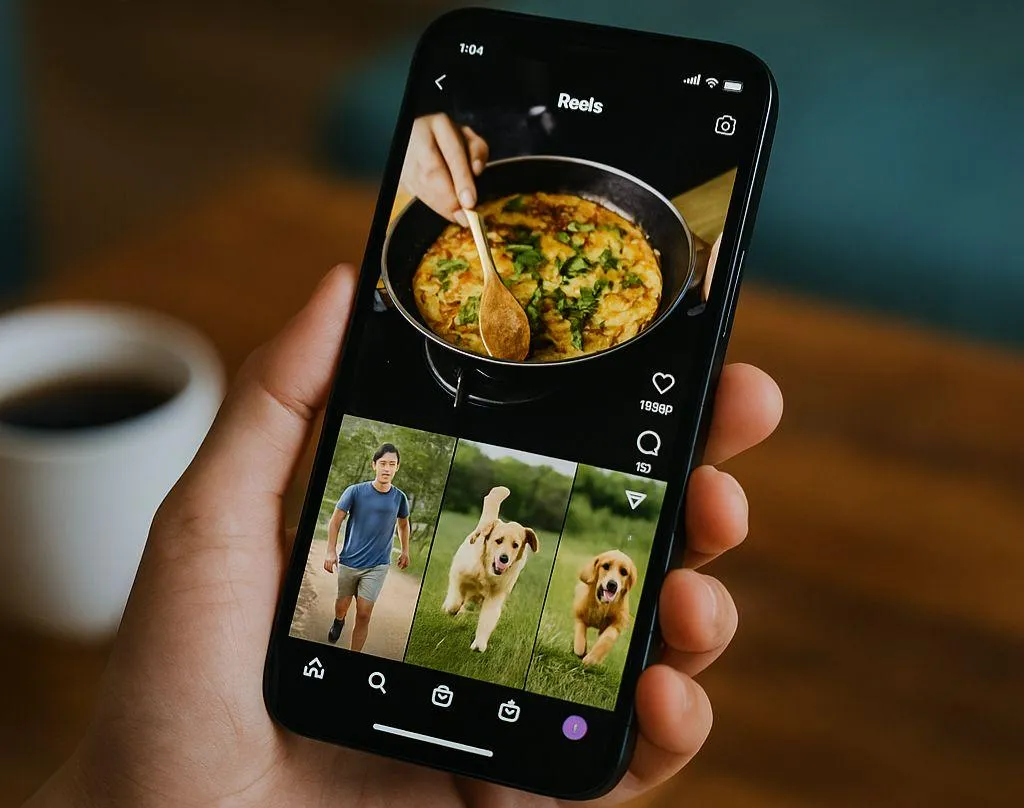
Learn how to create Instagram Reels with this simple step-by-step guide. Make a short video. Add some music and simple effects. Share it to entertain people and get more engagement.
How to make reels on Instagram
Instagram Reels are one of the best ways to get attention right now. The videos are short, fun, and easy to share. Millions of people watch them every day. Reels help brands, creators, and everyday people tell stories and grow an audience. They are perfect for sharing quick ideas, recipes, travel clips, or funny moments.
If you’ve never created a Reel before, don’t feel daunted. Creating Reels on Instagram is simple! This guide will show you everything step-by-step so that you can begin making Reels that stand out.
What are Instagram Reels?
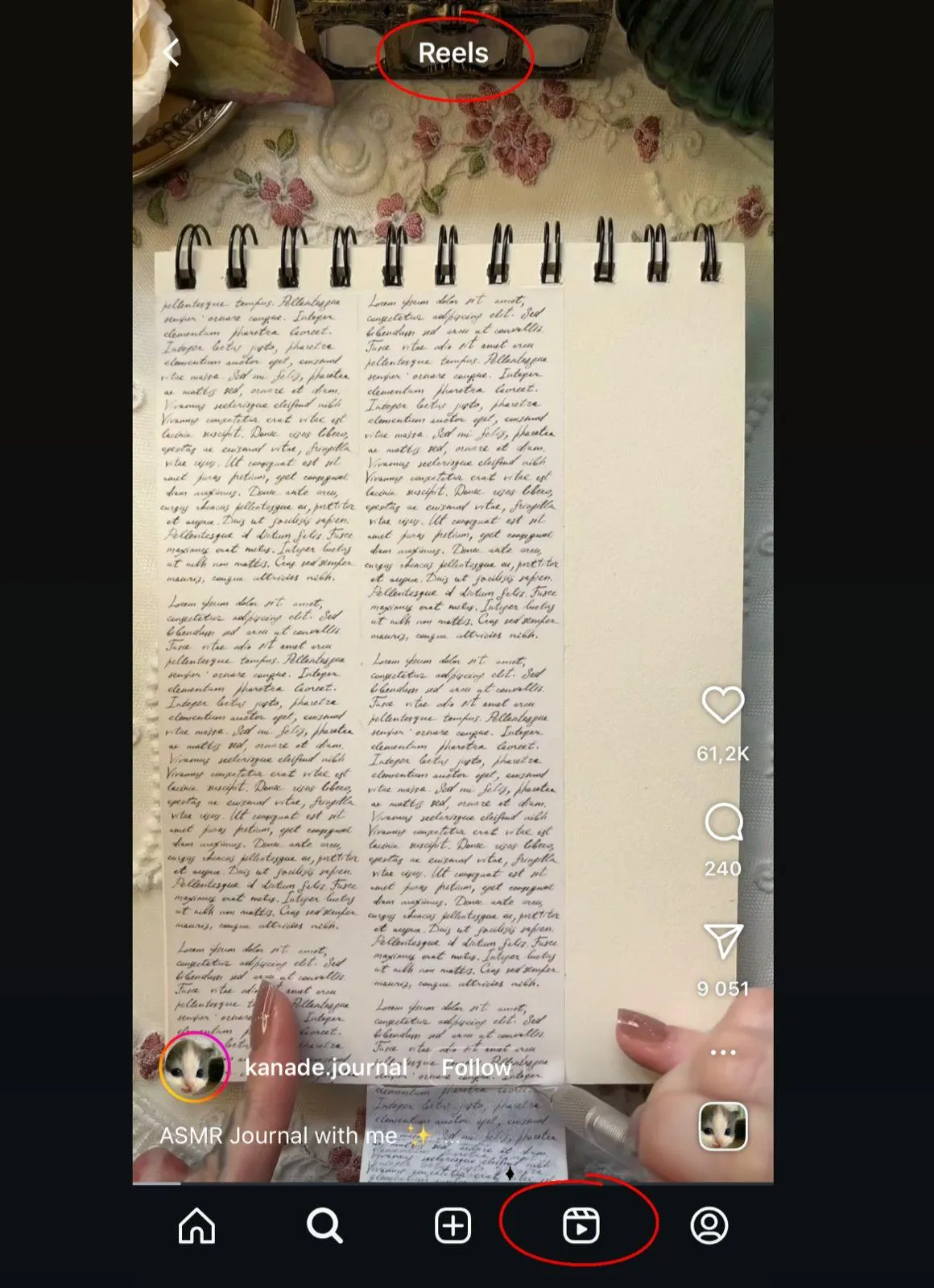
Reels are short videos that are on Instagram. Reels can be up to 3 minutes long. You can add music, text, effects, and filters. Reels show up in a separate section for Reels and in the Explore section.
Why are they important?
Because Instagram favors Reels over regular posts. This means higher view counts, more followers, and a better chance to go viral.
Step 1: Open Instagram and Click on Reels
- Open the Instagram app.
- Click the ”+” at the bottom or top of your screen.

- Select Reels from the options.
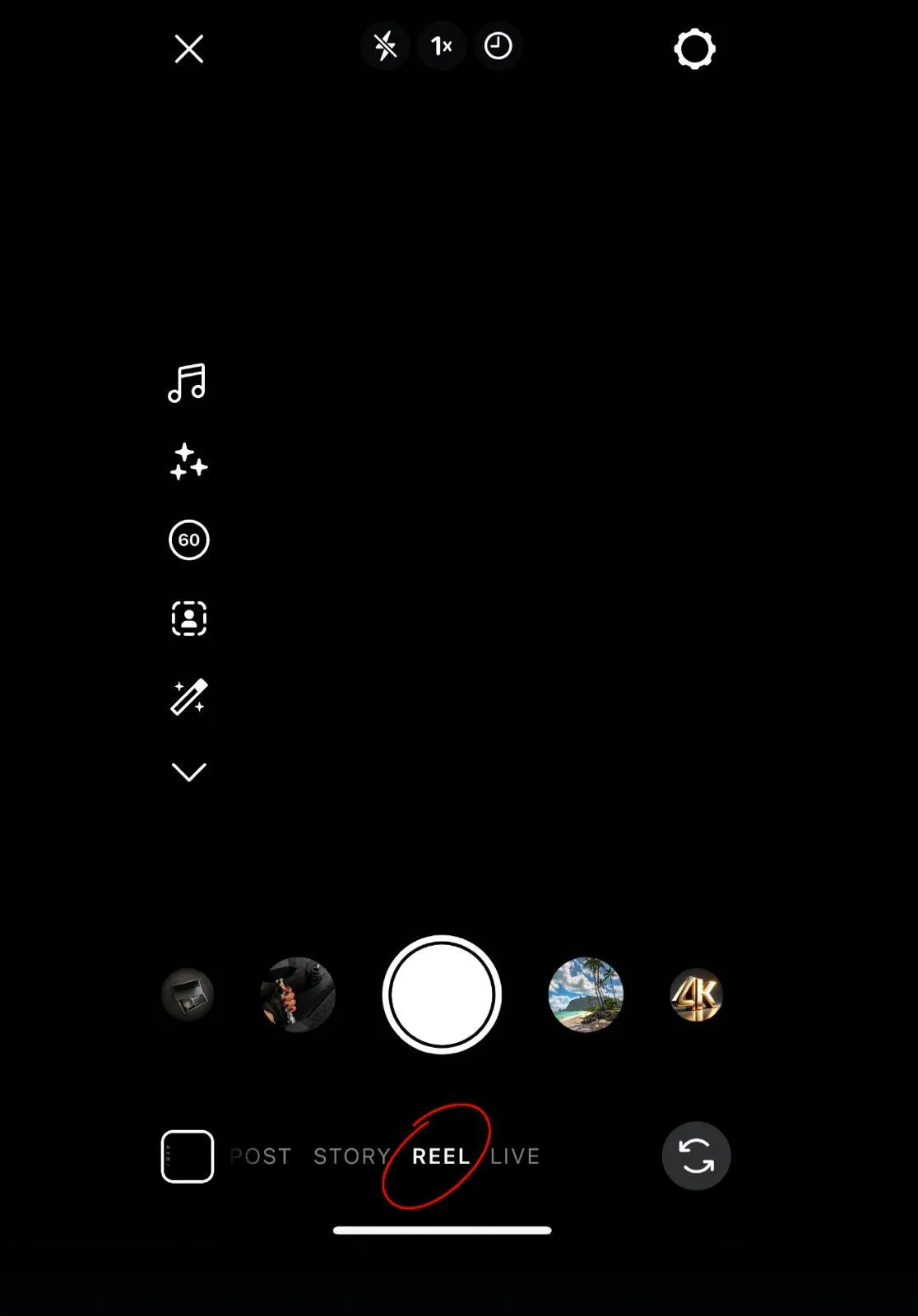
You are now on the Reel creation page. From here, you can either record video clips or upload clips already on your phone.
Step 2: Record or Upload a Video
You have two options:
1. Record directly.
Press and hold the record button when you want to record video. You can stop recording, press the same button again, and record multiple clips. Instagram will automatically combine them into one continuous video.
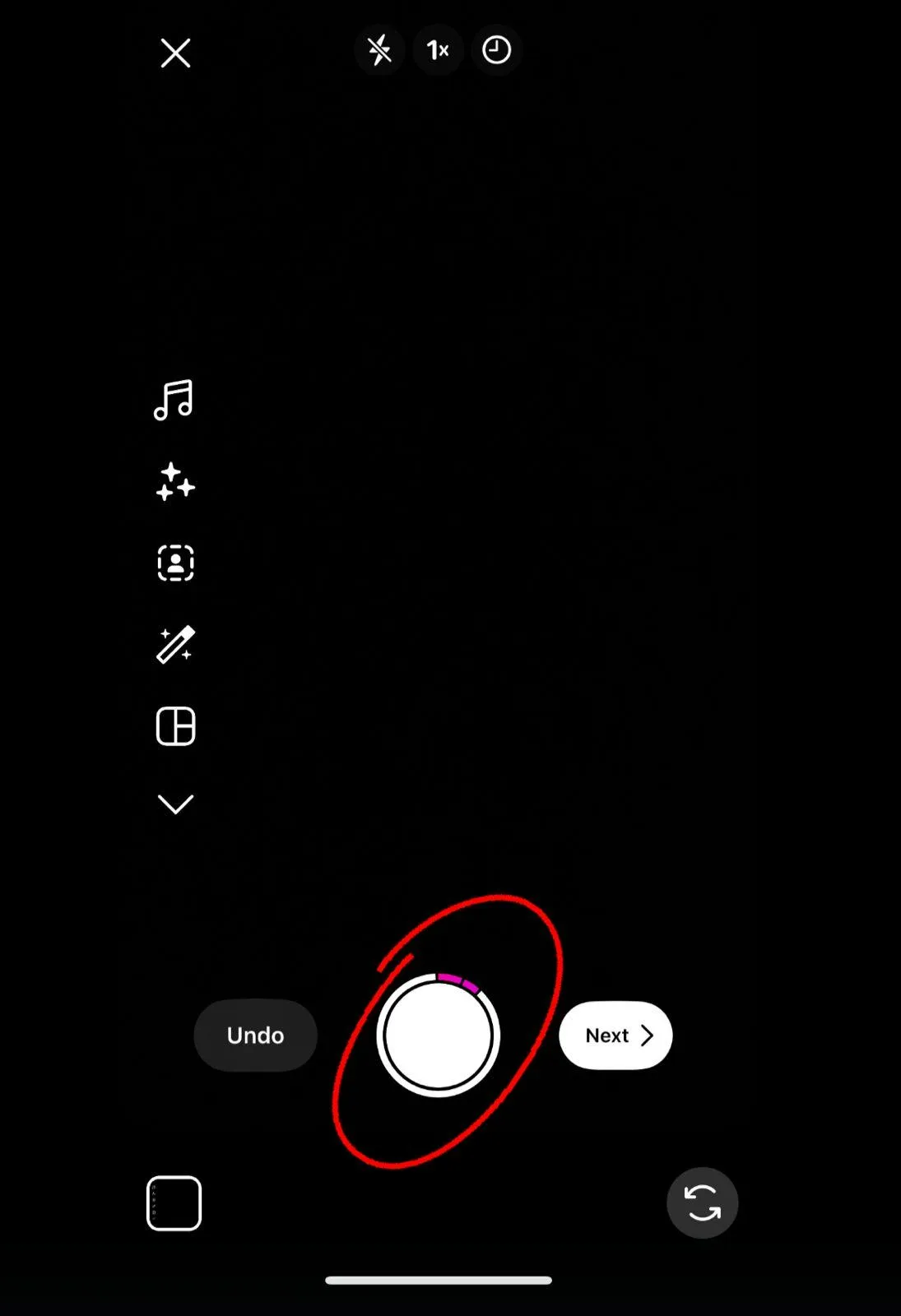
2. Upload from your gallery.
If you already filmed the video, just find it in your phone’s camera roll and upload it here.
Tip: Vertical video format (9:16) looks best and takes up the full screen.
Step 3: Incorporate Audio
Audio and music are essential to Reels.
- Tap the Audio icon.
- Rummage through songs and sounds available in the library.
- You can also use trending songs that may help increase discoverability.
- Or, upload your own original audio.
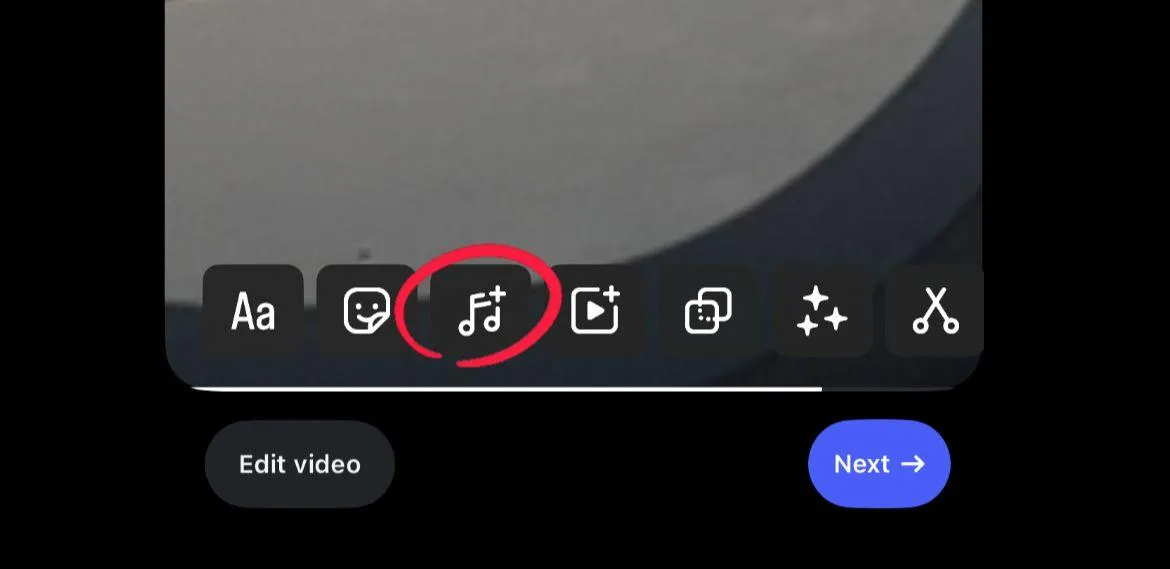
Trending music typically helps with Reels discovery.
Step 4: Incorporate Effects and Filters
Instagram has tons of different effects.
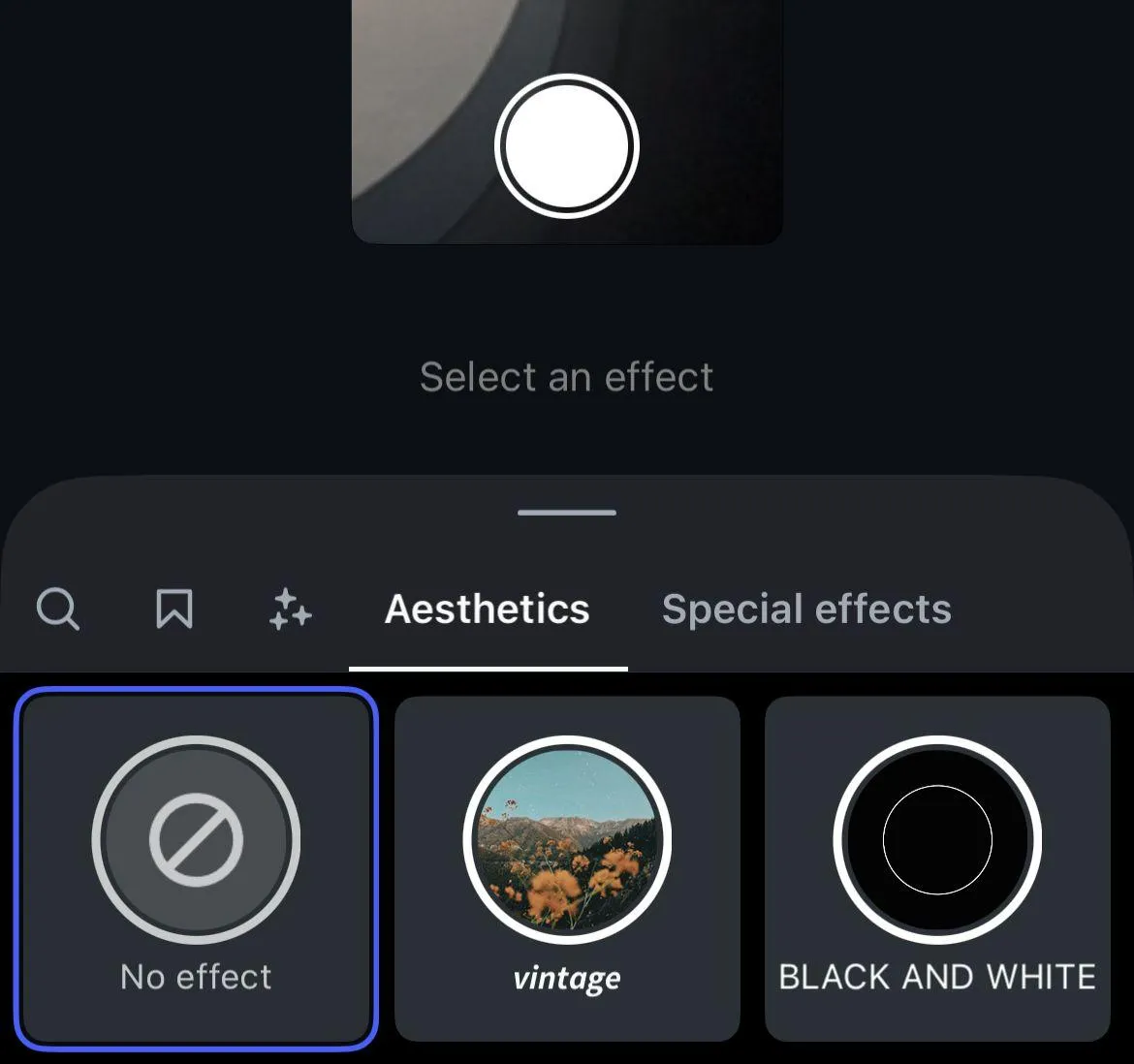
- Tap the sparkly icon to see what they have.
- You’ll find fun filters, transitions, and AR effects.
- Try them all out until you find the one that feels the best for your idea.
Effects keep Reels feeling fresh and creative but be careful not to use too many. Pick one or two to enhance the story or video flow without being distracting to the viewer.
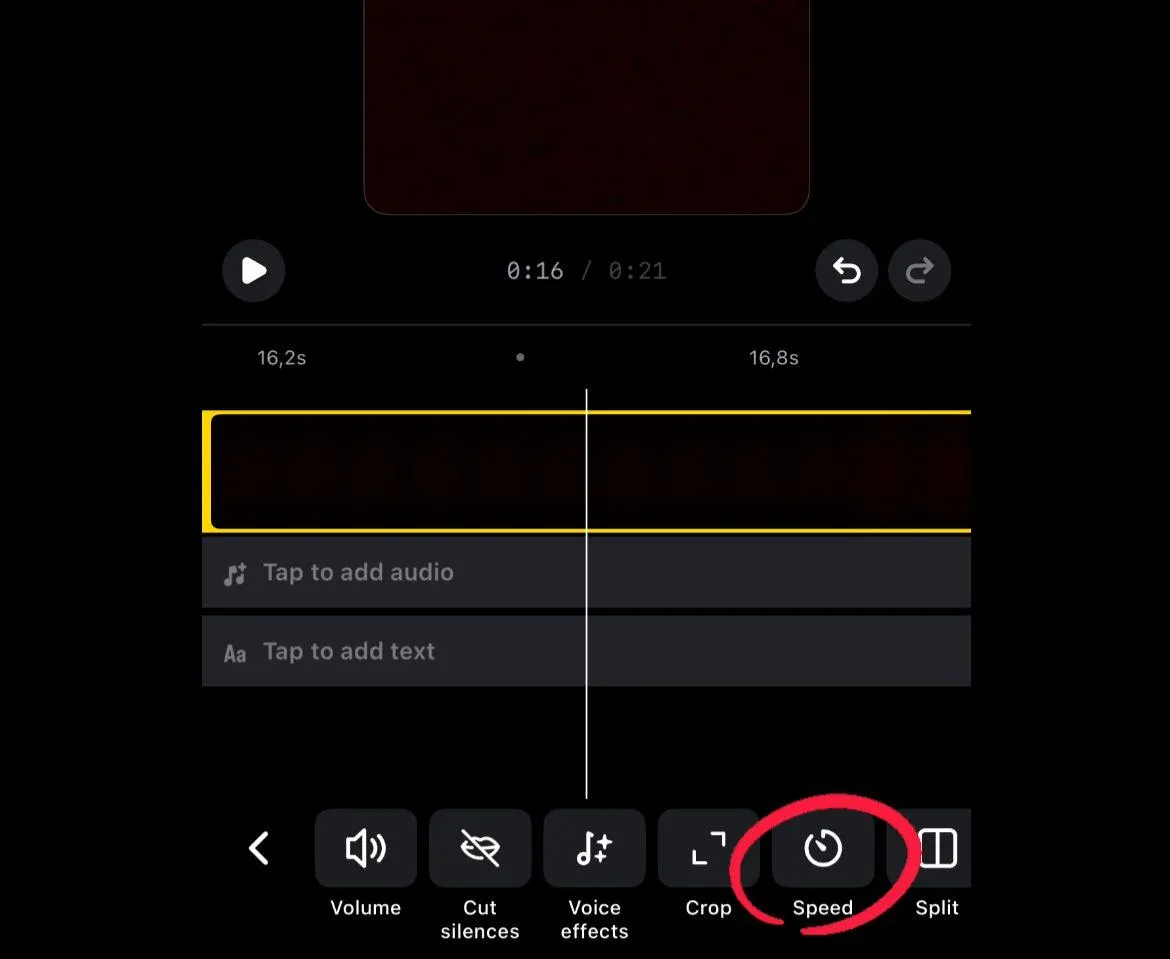
Step 5: Modify Speed and Layout
You can make changes to the look and feel of your Reel.
You can:
- Change speed where you want things faster or slower.
- You can use the layout tool to record a split screen or record multiple clips at once.
These changes help with variety and add differentiating quality to your video.
Step 6: Incorporate Text and Stickers
Text and stickers will add a great deal more engagement to your Reels.
You will want to:
- Add captions so that viewers can view your video without sound.
- Add stickers for a poll, a question, or fun effects.
- Keep text large enough for followers to read on a small screen.
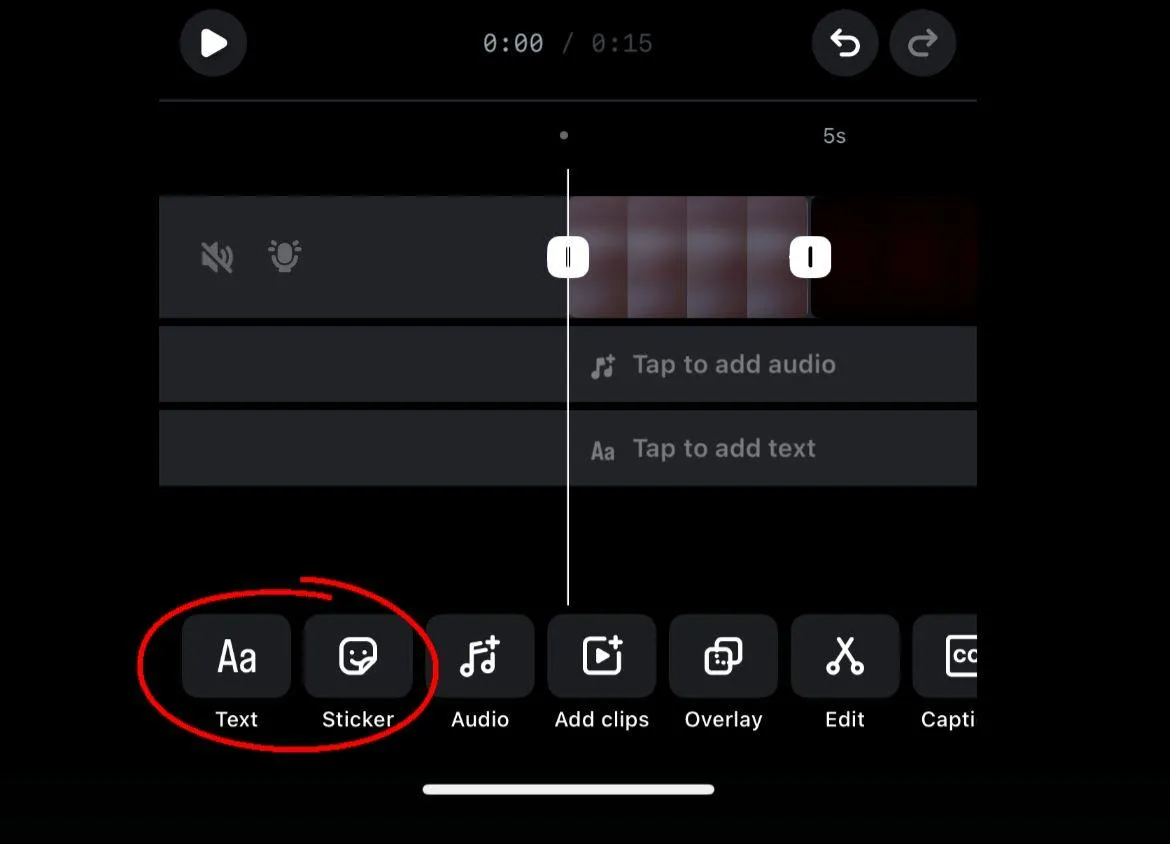
Notes: Be mindful of where you place text, to avoid cutting off text. Especially at the top and bottom edges.
Step 7: Preview and Edit
It’s always best to Preview before posting.
- Does the video flow smoothly?
- Do the music and text flow into one another?
- Is the video in a state where it will not need trimmed or re-recorded?
While editing may seem like a minor consideration, it can be impactful on the quality of your video.
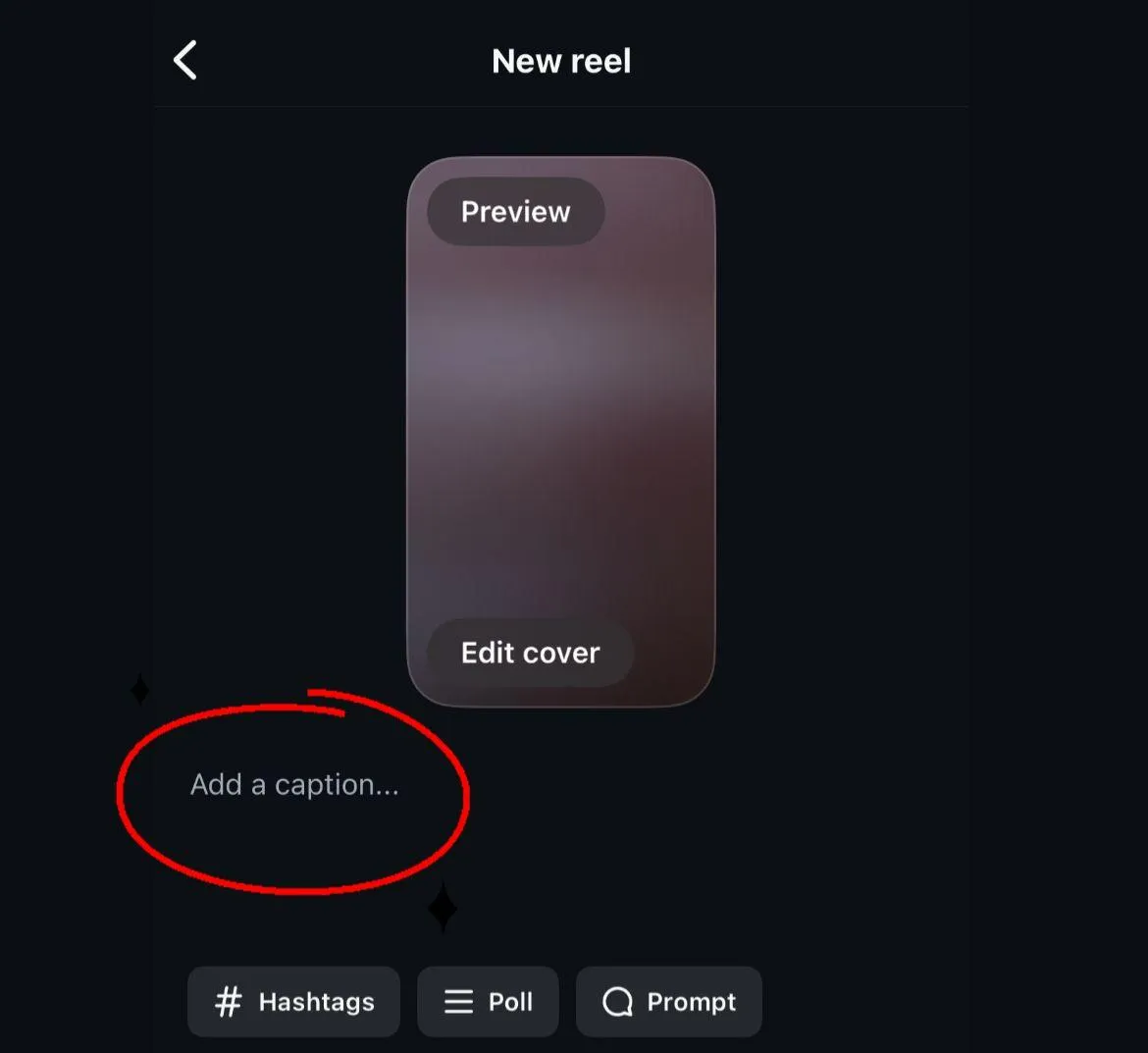
Step 8: Write a Caption and Add Hashtags
Your caption adds context. It can be short and funny. Or it can explain the Reel in more detail. Hashtags are important. They help new viewers find your content. Mix broad ones like #reels with niche ones related to your topic.
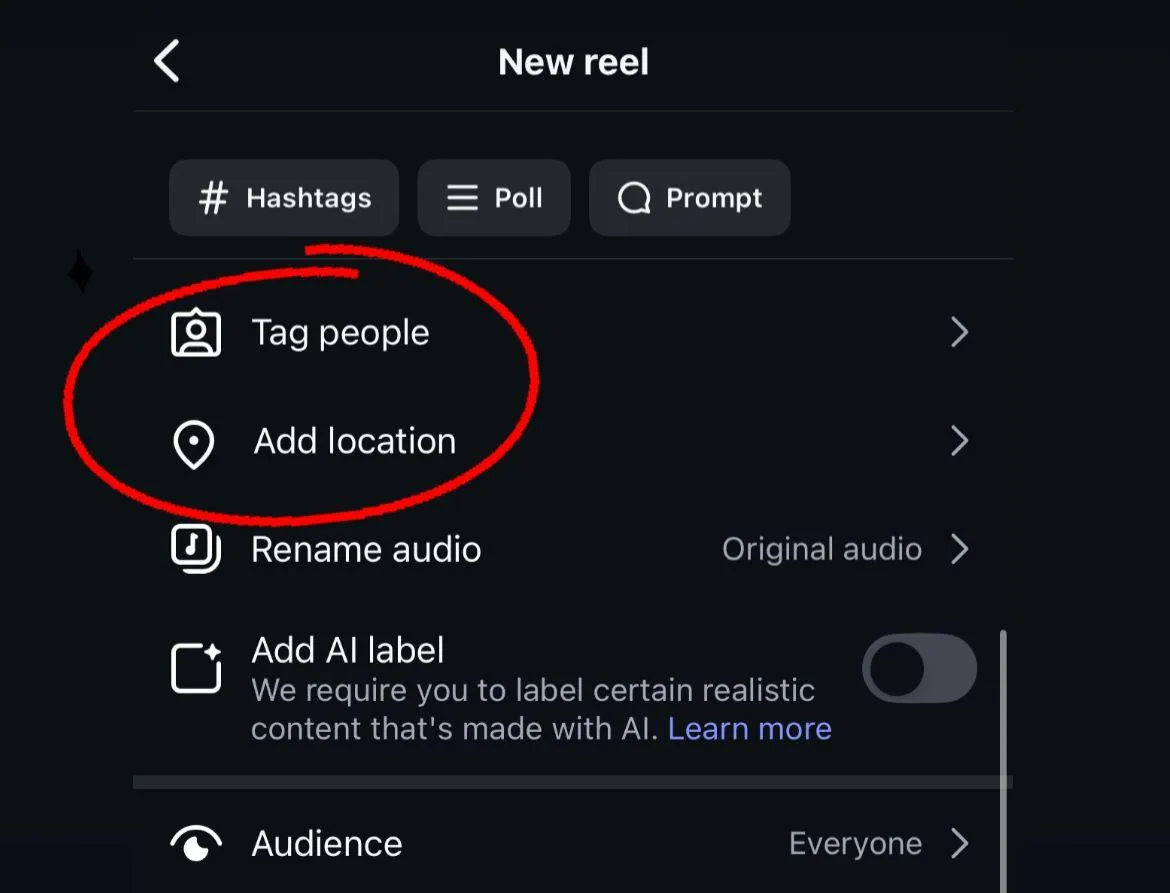
Step 9: Tag People and Add Location
Tagging is easy but powerful.
- Tag friends, brands, or collaborators.
- Add a location if your Reel is about a place.
Tags expand your reach and bring in more engagement.
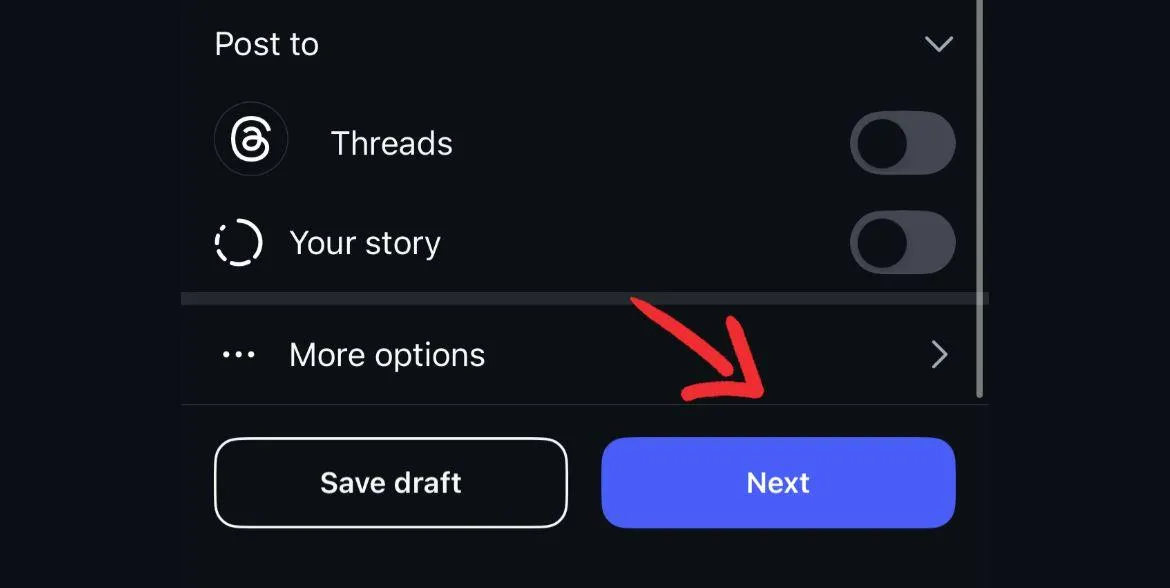
Step 10: Share Your Reel
When you are ready, tap Share. Your Reel will appear in your profile under the Reels tab. It can also show up in Explore where new people can find it.
Tip: Share it to your main feed and stories for maximum reach.
Extra tips for better reels
1. Hook viewers fast.
The first 3 seconds decide if someone keeps watching. Start strong.
2. Keep it short.
Shorter Reels (15-30s) often perform better.
3. Post consistently.
One Reel won’t change your account. Regular posting builds momentum.
4. Use trending audio.
Check the Reels audio library for songs with an arrow icon. That means they are trending.
5. Add value.
Make Reels entertaining, educational, or inspiring. People should feel it was worth their time.
Common mistakes to avoid
- Posting without a plan. Random clips rarely perform well.
- Using low-quality video. Blurry or shaky footage turns viewers away.
- Ignoring captions. Many watch Reels with sound off.
- Overloading with effects. Too many filters look messy.
- Forgetting a call to action. Tell people to like, share, or follow.
Why reels help you grow
Reels keep people on your content longer. That’s why Instagram’s algorithm favors them. The more time people spend, the more your Reel spreads. They also encourage engagement. Likes, shares, and comments tell Instagram that viewers enjoy your video. That pushes it to more feeds and the Explore page. Many creators have grown faster with Reels than with photos. They get more saves, more shares, and more reach.
Reels are not hard to make. They are short, fun, and one of the best tools on Instagram today. With music, effects, and simple editing, you can create videos that people love to watch.
Start small. Try one Reel with a trend or a simple story. Post it, see what happens, and learn from the results. Over time, you’ll find your style. And that’s when Reels can help you connect with more people, grow your audience, and share your world in a whole new way.